
YouTube thumbnails Cambodia strategies should begin with the viewer you want to reach, not with a decorative template. This guide shows hotels, NGOs, schools, retailers and Cambodian service businesses how to design clear thumbnails, adapt them for Khmer and English audiences, and measure whether they lead to useful views, enquiries or registrations. Written by: Kim
Start with the decision the viewer must make
A thumbnail is a small visual signpost. It helps a potential viewer decide whether a video appears relevant enough to open. It cannot explain everything, and it should not promise more than the video delivers.
Before opening a design tool, write one sentence answering these questions:
- Who is the intended viewer?
- What question or problem does the video address?
- What should the viewer do after watching?
- Which language will make the promise easiest to understand?
For example, a Phnom Penh hotel may create a video for foreign visitors comparing room types. A Khmer thumbnail could be more suitable for a local wedding or family event package, while an English thumbnail may better support international guests researching accommodation. An NGO may need a thumbnail that explains a project outcome without turning a sensitive subject into a sensational image.
This is why a single visual style should not be applied to every audience. The design should reflect the question behind the search.
Use YouTube’s technical requirements before refining the design
YouTube’s official guidance explains how creators can add custom video thumbnails and outlines the platform’s requirements. Check the current instructions in YouTube Help before publishing, because platform features and requirements can change.
Prepare a clean, high-resolution image in a wide video format. YouTube’s help page currently recommends a 16:9 ratio for custom thumbnails and lists supported image formats and file-size limits. Exporting a correctly sized image avoids preventable cropping, blurring or upload problems.
Technical compliance is only the starting point. A correctly sized image can still be confusing if the text is too small, the background is crowded or the subject does not match the video title.
Build the visual around one clear promise
A useful thumbnail normally contains three working parts:
- A recognisable subject: a person, place, product, object or moment connected to the video.
- A short promise: a few words that clarify the benefit or topic.
- A strong visual hierarchy: one element should attract attention first, followed by the supporting text.
Do not place the full video title on the image by default. Instead, reduce the title to the key decision. A video called “What to expect during our three-day community health training” might use “3-Day Health Training” as the visual message. The title and description can provide the detail.
Use contrast so that words remain readable on a small mobile screen. Test the image at the size of a thumbnail, not only at full size on a design canvas. If the main message disappears when reduced, remove detail rather than adding more text.
Faces can be useful when the person’s expression is relevant to the subject, such as a teacher introducing a lesson or a chef demonstrating a recipe. They are not compulsory. A product, location or real project activity may communicate more effectively for a retailer, hotel or NGO. Avoid using a person’s image without the appropriate permission.
Adapt YouTube thumbnails for Cambodia’s audiences
Cambodia is not one single audience. A practical thumbnail plan should separate the people you want to reach.
| Audience | Thumbnail priority | Useful test |
|---|---|---|
| Local Cambodian customers | Use familiar Khmer wording, local context and a direct product or service benefit. | Compare a Khmer-led design with an English-led design for similar videos. |
| Foreign residents | Explain the service, location or practical benefit in clear English. | Track views and enquiries from videos with English titles and thumbnails. |
| Tourists | Show the experience, location or planning question the visitor is likely to have. | Measure clicks to booking, tour or contact pages, not views alone. |
| International buyers and investors | Use a factual, professional visual linked to capacity, process, quality or evidence. | Record qualified enquiries and document downloads from each video. |
| Donors and development partners | Show the issue, activity and intended outcome without exaggeration. | Measure relevant meeting requests, partner enquiries or report visits. |
Khmer and English should not be treated as a simple translation exercise. A phrase that sounds natural in one language may become too long or unclear when placed on an image. Create separate versions where necessary, then check the wording with a fluent speaker who understands the audience and subject.
For bilingual organisations, keep the visual structure consistent while changing the wording. This helps the viewer recognise related videos without forcing both languages into a crowded design.
Choose thumbnail decisions by sector
Hotels and tourism businesses: show the experience or decision that matters, such as a room view, transport arrangement, local activity or food experience. Avoid using a beautiful but unrelated image. A tourist deciding between tours needs a clear indication of the destination, activity or practical question answered by the video.
Restaurants and retailers: feature the product, use case or offer explained in the video. If the objective is a shop visit or order, add a clear next step in the video description or spoken content. The thumbnail should attract the right viewer, not every viewer.
Schools and training providers: make the lesson or decision visible. A thumbnail can identify the subject, age group, qualification or learning outcome. Avoid implying that a course guarantees a result unless the organisation can support that statement.
NGOs and community organisations: protect dignity and informed consent. Do not use distressing imagery merely to gain attention. A clear project activity, map, statistic from a cited report or participant-approved portrait may be more responsible. Keep a record of image permissions, particularly when children or vulnerable people appear.
Professional service firms: turn a client question into a visual headline. Examples include “Tax steps for SMEs” or “How procurement works”. The video should then answer that question carefully, with any legal, financial or technical limits explained in the content.
Use design tools without letting templates make the decisions
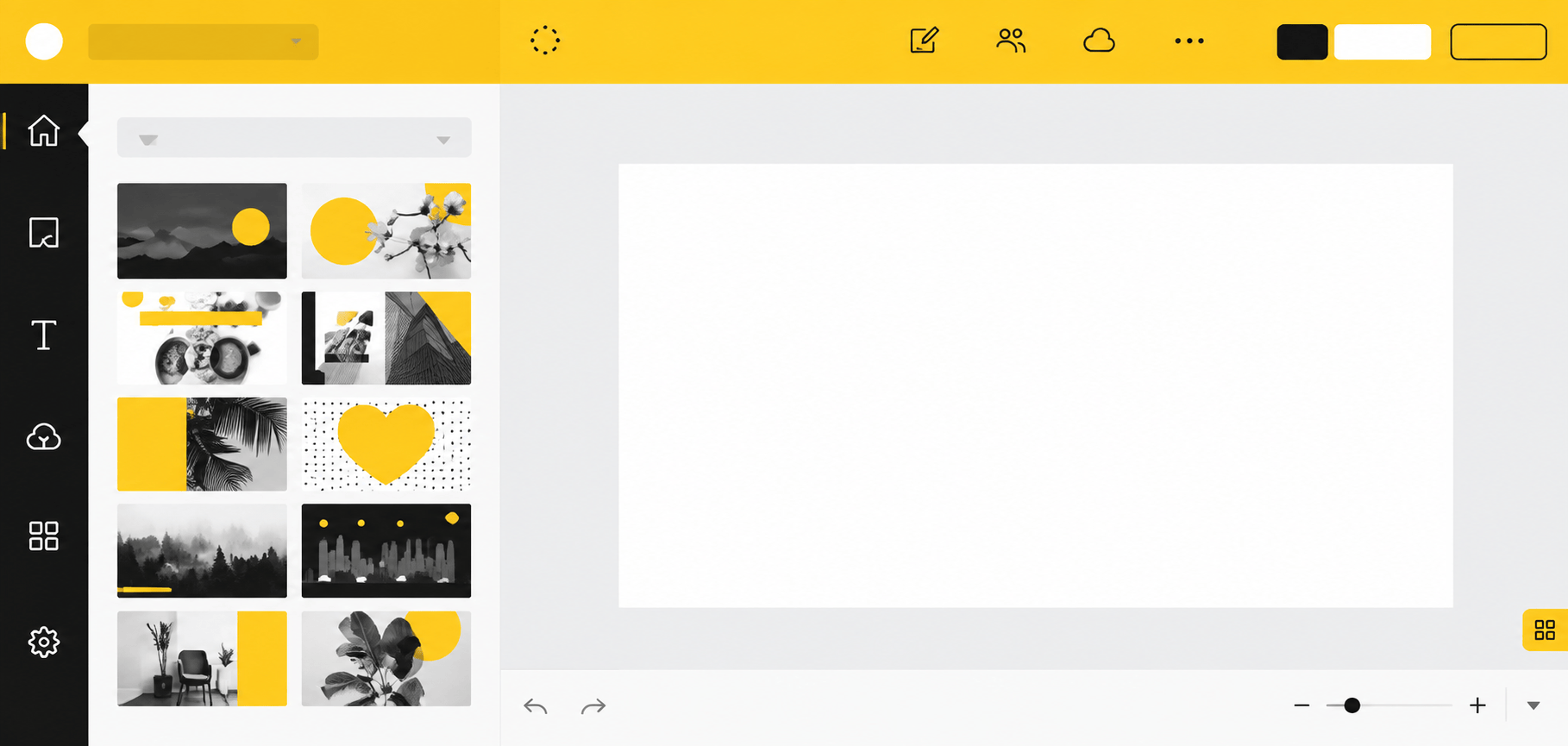
Browser-based tools can help a small Cambodian organisation create repeatable layouts. Canva’s YouTube thumbnail page is one example of a tool that provides editable designs. Other software may offer different templates, export options and pricing.
Choose a tool using operational criteria rather than a list of features:
- Can your team export the required image format and size?
- Can you save brand colours, logos and approved fonts?
- Can more than one staff member edit the design?
- Can the workflow handle Khmer text correctly?
- Can you keep an accessible record of image licences and permissions?
A template is useful when it reduces production time and preserves clarity. It is harmful when every video looks identical or when decorative elements hide the subject. Build two or three layouts for different video types, then adjust the image and wording for each customer question.
Measure whether the thumbnail supports a real business objective
Do not judge a thumbnail only by views. Set one primary outcome before publishing:
- For a hotel, booking-page visits, direct enquiries or completed booking actions.
- For a retailer, product-page visits, messages, calls or orders.
- For a school, application enquiries, event registrations or course-page visits.
- For an NGO, relevant partner contacts, volunteer registrations or report downloads.
- For an international business, qualified enquiries, meeting requests or buyer conversations.
Then record the video title, thumbnail version, publication date, audience language, views, impressions where available, click-through rate where available, average watch time and the agreed conversion action. YouTube Studio provides channel and video analytics, but the organisation must connect those figures with its own enquiry or sales records.
Use a simple comparison process. Keep the topic, audience and call to action similar, while changing one main thumbnail variable, such as Khmer versus English wording, product image versus person, or short promise versus question. Review the results after a defined period and avoid treating one video as conclusive evidence.
A thumbnail with a higher click-through rate may attract more viewers but still produce fewer useful enquiries if its promise is too broad. A thumbnail with fewer views may be more commercially valuable if it brings the right audience to a booking page, registration form or conversation.
Run a four-week thumbnail test
A small organisation can begin without redesigning its entire channel.
- Select four existing videos: choose videos with a clear topic and a measurable next action.
- Document the baseline: record the current thumbnail, title, impressions, clicks, watch time and relevant enquiries.
- Create one alternative: change the visual promise or language while keeping the subject accurate.
- Publish and track: use the same measurement period and record results consistently.
- Review quality, not only volume: check whether the viewers took the intended action and whether enquiries were relevant.
- Keep a decision log: record what changed, what happened and what you will test next.
Where a channel does not yet have enough data for a useful comparison, start with customer interviews and staff observations. Ask recent customers what question they had before contacting the organisation, which words they use for the service and what would make a video appear relevant. Use those findings to create the next test, then validate them against actual analytics and enquiries.
Pre-publish checklist for Cambodian organisations
- Does the thumbnail accurately represent the video?
- Can the main message be understood quickly on a mobile screen?
- Is the Khmer or English wording natural for the intended audience?
- Is there only one primary promise?
- Are faces, locations, logos and project images used with permission?
- Does the design meet YouTube’s current technical guidance?
- Is the next action clear in the video, description or linked page?
- Has someone recorded the baseline and the success measure?
The practical goal is not to make every thumbnail louder or more elaborate. It is to make the right video easier for the right audience to recognise, then use evidence from your own Cambodian customers, viewers and enquiries to improve the next decision.


